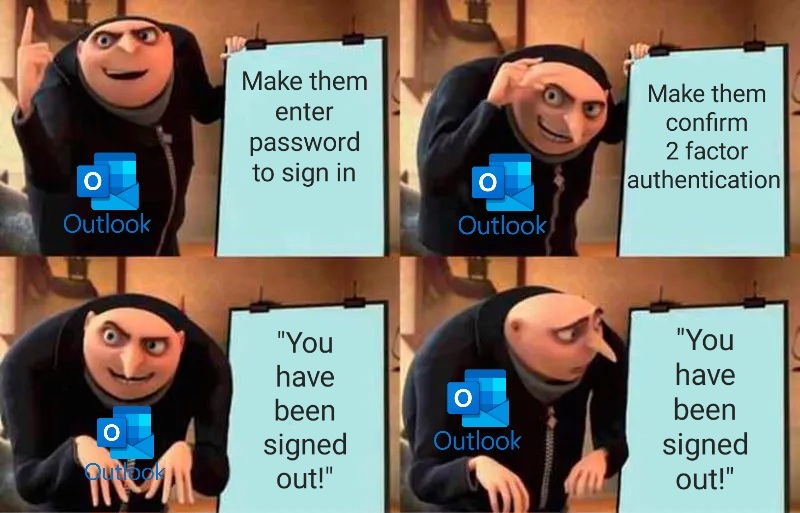
Microslop: Please complete 2 factor authentication again to sign in.
User completes 2 factor authentication
Microslop: Thanks, you have been signed out.
User: ffs!
You must log in or # to comment.
Sorry, we couldn’t log you in.
More Details?
You are running windows 11 and the security policy only allows Windows 10.
No joke I got that error once.
Security Policy knows what’s shit af.
signs in
“You must complete two-factor authentication before you can sign in.”
And then once you do it, you’re signed out! Lmao
I’m so fucking burnt out on this shit.
here’s my day.
- sign into laptop
- MFA push
- connect to vpn
- sign in to MSlop A
- MFA code
- sign into remote desktop
- sign in to MSlop A
- MFA push
- Sign into support tool on remote desktop
- sign in to MSlop A
- MFA push
- sign into github on local laptop
- sign into MSlop B
- MFA code
I do that twice a day. once in the morning, and once after lunch. why after lunch? because after 3 minutes of inactivity my laptop locks and disconnects from the network. after 5 minutes the remote desktop session expires. after 15 minutes the remote desktop shuts down. after an hour all sessions expire.
so my day consists of signing into the tools and platforms I need to again and again and not much else.
Aye, did u just out yourself as OE?
OE?
Over employed
heh, I wish. no.
single employed.
Finally get all the proper credentials typed in, but instead a different login forcefully overrides it
- woes of having two separate teams accounts at work
“it’s a good idea to close all your browser tabs”
Duck off.
Outlook gets it’s own private mode window for this reason
Even with that, it’ll ask you to sign in again and after giving it the password and 2 factor authentication, it’ll sign you out!
If (for some inexplicable reason) I actually used Outlook, then Outlook would have its own separate browser that I only used for Outlook. In fact, that might be a good use-case for Edge.
Holy shit! Thought that only happened to me!
It happens to me too, at work even
Broke ass software
You are not alone.
Good to know I’m not the only one getting this. It’s so annoying. I shouldn’t have to clear my cache every time I want to log in.
If only The Slop understood this, we might have a decent product
“Please wait while we sign you out”.
ha ha joke’s on them, I never wait.
For me its “You used the wrong password too often” without any other option (its the correct password since i use a pw manager and already dealt with this problem.)